
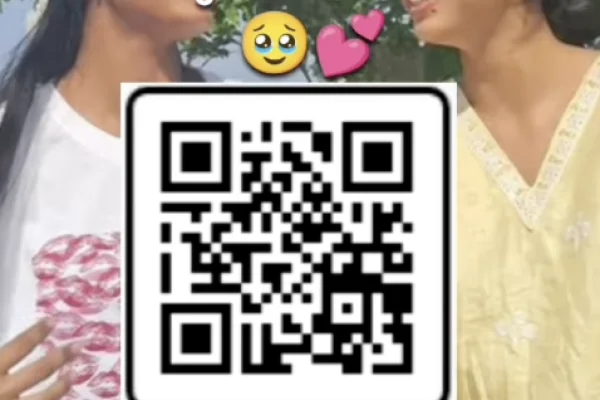
High Resolution • 4K Quality • Optimized for VN App
Compatible with all VN Versions
Join WhatsApp Group
Daily viral VN drops
Girl Best Friend VN Code Template 2026
Girl best friend vn template: Bestie content for girls has developed its own distinct visual language on Instagram — soft, calm, pastel-toned edits rather than the loud, chaotic style that dominates a lot of general friendship reels. This template leans directly into that aesthetic, prioritizing a clean, girly visual mood over fast cuts or dramatic effects.
What Makes This Template's Aesthetic Different
Where a lot of "best friend" templates default to quick, meme-heavy pacing, this one is built around a softer visual identity — muted pastel color grading, gentle zoom transitions, and enough breathing room between clips for the aesthetic itself to feel intentional rather than rushed. It's less about capturing chaos and more about creating something that looks genuinely put-together, almost like a mood board brought to life.
What the VN Template Actually Does
The template applies soft, calm color grading, smooth zoom-based transitions, and pacing that suits a curated, aesthetic feed rather than a high-energy one. It photographs well with both candid and slightly posed content, as long as the overall visual tone stays soft and consistent.
Girl Best Friend VN Code 2026
How to Use the Girl Best Friend VN Code Template 2026 QR Code:
- 1. How to Use the Girl Best Friend VN Template
- 2. Save the QR code to your phone's gallery.
- 3. Open VN Video Editor — free on both Android and iOS.
- 4. Tap the scan icon near the top of the app's home screen.
- 5. Select the saved QR code image; the template loads with its transitions and pastel color grading already set.
- 6. Add your photos and clips into the available slots.
- 7. Preview the full edit, checking that the pastel tone feels consistent across all your clips.
- 8. Export in HD and post to Instagram Reels or share as a story.
For the cleanest result, replace each template clip with high-resolution vertical (9:16) footage, and keep the original beat markers so your transitions stay perfectly in sync with the music.
More Friendship Assets
View All
Trending Friendship VN Template 2026
View Asset Best Friend Viral Insta Reel VN QR Code Templates 2026
View Asset