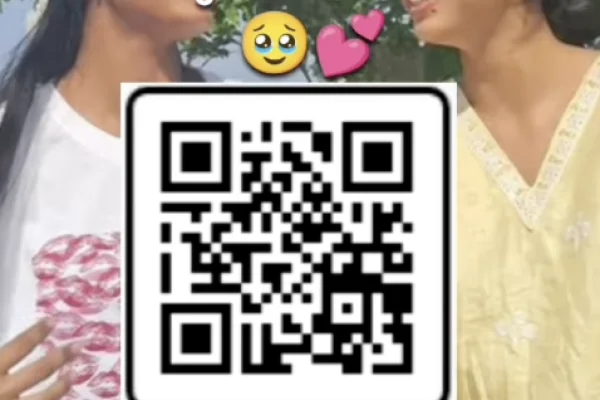
High Resolution • 4K Quality • Optimized for VN App
Compatible with all VN Versions
Join WhatsApp Group
Daily viral VN drops
Dosti vn template qr code
Dosti VN Template QR Code 2026: "Dosti" reels have a specific energy that most templates get wrong by making them too polished or too slow. Real friendship content isn't cinematic and restrained — it's chaotic, funny, and built on years of random photos nobody else would understand. This VN template is built around exactly that: fast cuts, energetic transitions, and enough clip slots to actually do justice to a proper friend group's photo collection.
Why This Template Fits Dosti Content Specifically
A lot of "friendship" templates are really just romantic couple templates with the pacing slightly adjusted, which is why they often feel a little off for genuine friend-group content. This one is designed from the ground up around dosti energy — quick, energetic transitions that compress years of memories into 15-20 seconds, rather than a slow, sentimental build meant for a couple.
What the VN Template Does
Built for multiple friends and a large photo collection, this template supports multiple photo/clip slots, fast cuts timed to an upbeat track, and pacing that keeps the energy high throughout rather than slowing down for a single emotional moment.
Getting the Most Out of Multiple Photo Slots
Since this template supports a larger number of clips than most, it's worth being deliberate about what you include rather than just dumping in whatever's most recent:
- Mix eras deliberately. A few old, slightly embarrassing photos alongside recent ones capture the actual length of the friendship better than recent photos alone.
- Include at least one chaotic, unfiltered photo. The one nobody else would post — it adds more authenticity than another polished group shot.
- Don't overload just because the slots allow it. Even with more room than usual, 8-10 well-chosen photos generally outperform a rushed 15-photo version.
Common Mistakes to Avoid
- Treating this like a romantic template with different photos. The pacing is built for chaos and energy, not slow sentiment — lean into that.
- Using only recent, posed photos. It misses the "we've been through everything" feeling that makes dosti content land.
- Skipping the preview. With fast cuts and multiple slots, a mistimed transition is easy to miss without checking first.
- Writing a generic caption. A specific inside joke or a playful roast fits this template's energy far better than a generic "best friends forever" line.
Frequently Asked Questions
Q1. Is the Dosti VN Template QR Code free?
Yes, it's completely free to download and use.
Q2. How many photos can this template handle?
It supports multiple photo slots, generally working well with 8-10 photos, though it can handle more given its fast pacing.
Q3. Can I change the background music?
Yes, after scanning the QR code, you can typically adjust or replace the music layer inside VN.
Q4. Is VN Video Editor free on iPhone as well as Android?
Yes, it's free on both platforms.
Q5. Does this template work for a friend group larger than two people?
Yes, it's specifically built to handle multiple people and a larger photo collection, unlike templates designed for one-on-one couple content.
Conclusion
The Dosti VN Template works because it doesn't try to be cinematic or restrained — it leans fully into the fast, chaotic energy that actual friendship deserves. Mix your photos across different years, keep a few genuinely unfiltered shots in the rotation, and this template turns your friend group's messy camera roll into something genuinely fun to watch.
How to Use the Dosti vn template qr code Template:
- 1. How to Use the Dosti VN Template
- 2. Save the QR code image to your phone's gallery.
- 3. Open the VN Video Editor app on your phone. Make sure the app is updated to the latest version.
- 4. Tap the Scan icon in the top-right corner and select the saved QR code from your gallery.
- 5. Once the template loads, tap "Use Template" and select your photos or videos from your gallery.
- 6. The music and transitions will be set automatically — no manual timing needed.
- 7. Preview the full edit, checking that the pacing feels energetic rather than rushed.
- 8. Export in HD and post to Instagram Reels or share as a WhatsApp status.
For the cleanest result, replace each template clip with high-resolution vertical (9:16) footage, and keep the original beat markers so your transitions stay perfectly in sync with the music.
More Friendship Assets
View AllTrending Friendship VN Template 2026
View AssetBest Friend Viral Insta Reel VN QR Code Templates 2026
View Asset