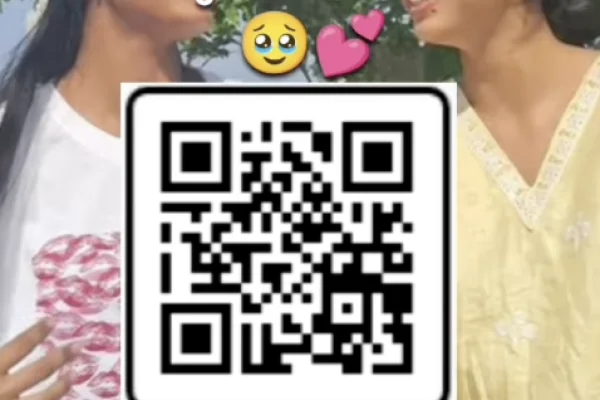
High Resolution • 4K Quality • Optimized for VN App
Compatible with all VN Versions
Join WhatsApp Group
Daily viral VN drops
Trending Friendship VN Template 2026
Friendship reels have a way of hitting differently than romantic ones — there's less pressure and more genuine warmth, which is exactly what the current trending friendship VN template is built around. Set to the soulful, nostalgic track "Hum Ko Maloom Hai," this template has become one of the most-used options this year for celebrating friend groups, childhood memories, and best-friend moments.
This guide covers what the template offers, why it works so well for friendship content specifically, and how to put your own version together.
What Makes This Template Different from Romantic Templates
A lot of trending VN templates are built with couples in mind, which means the pacing, captions, and mood often lean romantic even when creators try to repurpose them for friends. This template avoids that problem entirely — it's built around a warm, nostalgic tone from the start, which makes it feel natural for friendship content rather than like a romantic template awkwardly reused.
The song itself carries a reflective, "we've been through it together" kind of emotion, which pairs well with slower transitions and a soft, memory-style color grade.
Why Friendship Templates Like This Perform Well
- They tap into shared history. Unlike a lot of solo or couple content, friendship reels naturally invite tagging multiple people, which increases shares and comments from everyone tagged.
- The nostalgic tone is broadly relatable. Almost everyone has an old friend group or a specific memory this kind of song brings up, which helps the content resonate even with viewers who don't know the people in the video.
- It works with imperfect footage. Since the mood is genuine rather than polished, old photos, low-quality throwback clips, and candid moments all fit naturally.
- It's a low-pressure trend to join. Unlike trends requiring specific choreography or timing, this one mostly just needs real photos and clips of real friendships.
What Kind of Footage Works Best
- Genuine candid photos and clips, including older or lower-quality throwbacks
- A mix of group shots and closer individual moments
- Photos that represent different points in the friendship, not just recent ones
- Soft, natural lighting rather than heavily filtered or overly staged shots
Highly polished, professional-style photos tend to feel slightly out of place here — the nostalgic tone works best with real, unfiltered memories.
Common Mistakes to Avoid
- Using only recent photos. Part of what makes this template work is variety across time — mixing in older memories adds real emotional weight.
- Overloading the edit with too many clips. Around 5-7 well-chosen photos usually tells a stronger story than a rushed 12-clip version.
- Ignoring the pacing. Since the tone is reflective, transitions landing awkwardly are more noticeable than in a fast-cut trend.
- Writing a generic caption. A short, honest line about the friendship lands far better than a copy-pasted quote.
Frequently Asked Questions
Q1. Is this VN template free?
Yes, it's completely free to download and use.
Q2. Which song does this template use?
It's built around "Hum Ko Maloom Hai," a soulful, nostalgic track well-suited to friendship and memory-based content.
Q3. How many clips does it need?
Most versions work best with 5 to 7 clips or photos.
Q4. Can this template be used for family content instead of friends?
Yes, its warm, nostalgic tone also suits sibling or family memory reels, not just friendships.
Q5. Is VN Video Editor free on iPhone as well as Android?
Yes, it's free on both platforms.
Conclusion
This trending friendship VN template stands out because it's built around genuine nostalgia rather than a repurposed romantic mood — mix in some older memories with recent moments, keep the pacing unhurried, and it captures that "we've been through everything together" feeling almost effortlessly.
How to Use the Trending Friendship VN Template 2026 Template:
- 1. How to Use the Trending Friendship VN Template
- 2. Save the QR code for the template to your phone's gallery.
- 3. Open VN Video Editor — free on both Android and iOS.
- 4. Tap the scan icon near the top of the app's home screen.
- 5. Select the saved QR code image; the template loads with its transitions, pacing, and music already set.
- 6. Add your friend group's clips and photos into the available slots.
- 7. Preview the edit, checking that the pacing suits your specific mix of clips and photos.
- 8. Export in HD and post to Instagram Reels or share as a WhatsApp status.
For the cleanest result, replace each template clip with high-resolution vertical (9:16) footage, and keep the original beat markers so your transitions stay perfectly in sync with the music.
More Friendship Assets
View AllBest Friend Viral Insta Reel VN QR Code Templates 2026
View Asset