High Resolution • 4K Quality • Optimized for VN App
Compatible with all VN Versions
Join WhatsApp Group
Daily viral VN drops
Pre Wedding VN Template 2026
A pre-wedding shoot is a different genre entirely from wedding-day content — no ceremony chaos, no group energy, just a couple, a location, and a few hours of intentional, cinematic footage. That calls for a template built specifically around location-shoot pacing rather than one repurposed from a general couple or ceremony template. This guide covers what makes a pre-wedding template different and how to actually get the most out of your shoot footage.
Why Pre-Wedding Content Needs Its Own Template Style
Wedding-day templates are built around a mix of chaos and emotion — big group moments, quick candid reactions, ceremony rituals. Pre-wedding shoots are the opposite: usually planned, posed but natural, shot at one or two locations with deliberate framing. A template built for that context uses slower, more cinematic transitions and pacing that lets each location and pose actually register, rather than rushing through footage the way a wedding highlight reel might.
What the VN Template Actually Does
This template applies cinematic color grading suited to outdoor location shoots — golden hour tones, soft depth-of-field-style transitions, and smooth movement between wide location shots and closer couple portraits. It's built to make even a simple two-location shoot feel like a full cinematic story.
Structuring Your Footage for Maximum Impact
- Open with a wide, establishing shot of the location before cutting to the couple — it sets context the way an actual cinematic opening would.
- Alternate between wide and close shots rather than using all of one type, since the contrast is what makes the edit feel produced rather than repetitive.
- Save your strongest, most candid moment for the emotional peak of the edit — usually two-thirds of the way through works best.
- If you shot at multiple locations, group clips by location rather than mixing them randomly, so the edit reads as a journey rather than a jumble.
What Kind of Footage Works Best
- Golden hour or soft natural lighting, since it pairs directly with the template's cinematic grading
- A genuine mix of posed and candid shots — pure posing can feel stiff without some natural movement mixed in
- Wide location shots that establish scale and setting
- Close-up expressions that capture real emotion rather than a forced smile
Common Mistakes to Avoid
- Using only close-up portraits. Without wide, establishing shots, the edit loses the cinematic, location-driven feel this template is built for.
- Overcrowding the edit. 6-8 well-chosen shots tell a cleaner story than a rushed, cluttered version.
- Ignoring lighting consistency between locations. Mixing very different lighting conditions can make transitions feel jarring.
- Skipping the preview. A transition landing awkwardly between a wide and close shot is easy to miss without checking first.
Frequently Asked Questions
Q1. Is this VN template free?
Yes, it's completely free to download and use.
Q2. How many clips does this template need?
Most versions work best with 6 to 8 clips, mixing wide location shots with closer portraits.
Q3. Is this template different from a regular wedding template?
Yes, pre-wedding templates use slower, more cinematic pacing suited to planned location shoots, unlike wedding-day templates built for ceremony energy or group chaos.
Q4. Is VN Video Editor free on iPhone as well as Android?
Yes, it's free on both platforms.
Q5. Can I use this template for an engagement shoot instead of a pre-wedding one?
Yes, the same cinematic, location-driven structure works well for engagement shoots too.
Conclusion
A pre-wedding reel works best when it's treated like a mini cinematic story, not a quick highlight clip — mix your wide and close shots deliberately, keep the lighting consistent, and let the pacing breathe. Structured this way, this template turns even a simple two-location shoot into something that feels genuinely produced.
How to Use the Pre Wedding VN Template 2026 Template:
- 1. How to Use the Pre Wedding VN Template
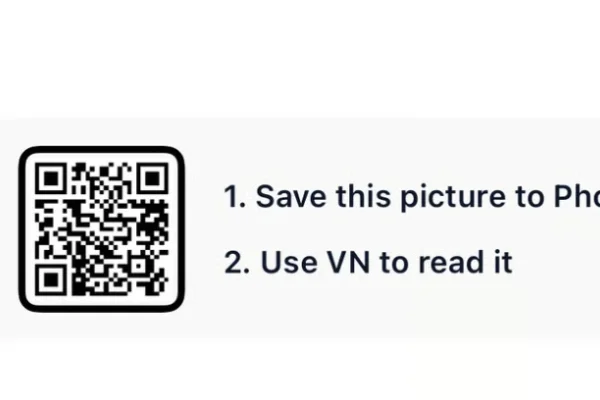
- 2. Save the QR code for the template to your phone's gallery.
- 3. Open VN Video Editor — free on both Android and iOS.
- 4. Tap the scan icon near the top of the app's home screen.
- 5. Select the saved QR code image; the template loads with its transitions, cinematic grading, and music already set.
- 6. Add your clips and photos, ideally in the order your shoot actually progressed (location to location).
- 7. Preview the full edit, checking that wide shots and close-up portraits are balanced.
- 8. Export in HD and post to Instagram Reels or share directly.
For the cleanest result, replace each template clip with high-resolution vertical (9:16) footage, and keep the original beat markers so your transitions stay perfectly in sync with the music.
More Wedding Assets
View AllWedding VN Template 2026
View Asset