High Resolution • 4K Quality • Optimized for VN App
Compatible with all VN Versions
Join WhatsApp Group
Daily viral VN drops
Wedding VN Template 2026
An Indian wedding isn't one single mood — it's a string of very different moments, from the chaotic energy of sangeet and baraat to the quiet emotional weight of the pheras to the polished highlight reel shared afterward. Using one generic "wedding template" across all of it usually looks mismatched somewhere. This guide breaks down the main wedding VN template styles by which part of the wedding you're actually editing.
1. Sangeet & Baraat Energy Template
Built for the loudest, most celebratory parts of a wedding, this style uses fast, rhythmic cuts timed to dhol beats, bright and punchy color grading, and pacing built for dance and group energy rather than anything slow or sentimental.
Best clips: dance performances, baraat entry shots, group celebration moments, candid laughter and chaos.
2. Pheras / Ceremony Emotional Template
For the actual wedding ceremony — the pheras, the exchange of garlands, the emotional family reactions — this style slows everything down. Gentle transitions, warm and slightly muted color grading, and pacing that gives each moment room to actually register rather than rushing through it.
Best clips: close-up ceremony shots, emotional family reactions, the couple's expressions during key rituals.
3. Wedding Highlight Reel Template
Designed for compiling the whole event into one polished recap, this style mixes pacing — holding on key emotional shots longer while moving quickly through group and candid footage — and generally supports a higher clip count than the other two styles.
Best clips: a mix from every part of the wedding: getting-ready shots, ceremony moments, reception highlights, and candid guest reactions.
Matching the Template to the Moment
- Editing sangeet or baraat footage? Go with the high-energy template — don't slow this part down.
- Editing the actual ceremony? Go with the slower, emotional template so key moments actually land.
- Compiling the whole event afterward? Go with the highlight reel template, which is built to handle mixed pacing across many clips.
Common Mistakes to Avoid
- Using a high-energy template on ceremony footage. It rushes past emotional moments that deserve more screen time.
- Using a slow, emotional template on sangeet footage. It drains the energy out of what should feel loud and celebratory.
- Overcrowding the ceremony-style template. Fewer, longer-held clips work better here than a rushed, crowded version.
- Skipping the preview. A mistimed transition on a key ritual moment, like the phera or garland exchange, is easy to miss without checking first.
Frequently Asked Questions
Q1. Are these wedding VN templates free?
Yes, all of them are free to download and use.
Q2. How many clips do these templates typically need?
Sangeet/baraat templates can handle 8-10 clips given the fast pacing; ceremony templates work best with 4-6 longer clips; highlight reels often support 12+ since they're compiling the full event.
Q3. Is VN Video Editor free on iPhone as well as Android?
Yes, it's free on both platforms.
Q4. Can I combine ceremony and sangeet footage in one template?
It's possible with the highlight reel style specifically, since it's designed for mixed pacing — the other two styles work best kept to their specific moment.
Q5. Can I swap the background music in these templates?
Yes, most VN templates let you tap the Music layer after scanning and replace it with a track of your choice.
Conclusion
A wedding isn't one mood, so the template shouldn't be either — fast and loud for sangeet, slow and emotional for the pheras, and a flexible mixed-pace edit for the full highlight reel. Match the template to the specific moment you're editing, and each part of the wedding will feel exactly as it should.
How to Use the Wedding VN Template 2026 Template:
- 1. How to Use Any Wedding VN Template
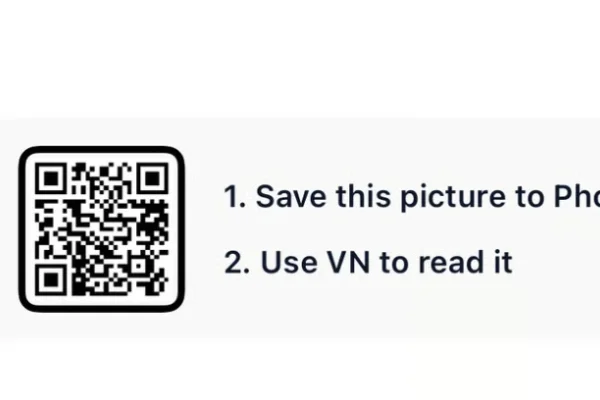
- 2. Save the QR code for your chosen template to your phone's gallery.
- 3. Open VN Video Editor — free on both Android and iOS.
- 4. Tap the scan icon near the top of the app's home screen.
- 5. Select the saved QR code image; the template loads with its transitions, color grading, and music already set.
- 6. Add your own clips or photos into the available slots.
- 7. Preview the full edit, checking that the pacing matches the specific wedding moment you're editing.
- 8. Export in HD and post to Instagram Reels or share directly with family.
For the cleanest result, replace each template clip with high-resolution vertical (9:16) footage, and keep the original beat markers so your transitions stay perfectly in sync with the music.
More Wedding Assets
View AllPre Wedding VN Template 2026
View Asset