High Resolution • 4K Quality • Optimized for VN App
Compatible with all VN Versions
Join WhatsApp Group
Daily viral VN drops
Tu Agar Meri Ye Hawayein Teri VN Code Template 2026
Some romantic songs are loud and filmy. You hear them at sangeets and in wedding entry reels, with dhol, drama and a big hero-style walk. Tu Agar Meri Ye Hawayein Teri is not one of those. It's gentle, almost like a promise said softly: if you're mine, then everything around me belongs to you too, even the air. That feeling is exactly why this song has been showing up on so many couple reels lately.
The Tu Agar Meri Ye Hawayein Teri VN code template gives you that soft, dreamy mood ready-made inside the VN Video Editor app. The slow transitions, light zooms and beat timing are already set. You only need to add your own photos or clips. This guide covers what the template does, which clips suit it best, how to arrange them so the reel feels like a story, and what to do if the QR code doesn't work.
Why This Song Works So Well for Couple Reels
Most trending love templates are built around one big moment: a beat drop, a proposal, a bride's entry. This song is different. Its mood is about everyday closeness, the quiet feeling of belonging to someone. That makes it a good fit for the kind of couple content Indian audiences actually connect with:
- Newly married couples sharing small moments like chai together, a first trip or setting up the new home
- Engaged couples posting a "yes, it's official" reel without it feeling over the top
- Anniversary posts where you want the reel to feel warm rather than showy
- Long-distance couples mixing video-call screenshots with the moments you finally met
- Status videos for WhatsApp, where a soft 20-second edit works better than a loud one
The song also works well for people who don't like appearing on camera much. Because the mood is soft, hands, silhouettes and back-facing shots fit it just as well as face close-ups.
What the VN Template Does
The template is paced like a slow breath. The first few clips stay on screen a little longer with smooth crossfades, and a soft zoom-in lands on each beat as the song builds. The colour tone leans warm and slightly pastel, which suits golden-hour photos, fairy lights and indoor shots in yellow light.
There are no heavy shakes, glitch effects or flash transitions, which is exactly why it looks elegant. It also means the template depends on your clips. It won't hide a blurry or badly lit photo behind effects, so a little care in choosing clips goes a long way.
What Kind of Photos and Clips Work Best
Hands and small details. Holding hands on a bike, mehndi hands on his shoulder, two cups of cutting chai, a ring, a dupatta in the wind. These close-ups make the reel feel personal and cinematic.
Wind and movement. Since the song talks about the air and the breeze, clips with movement fit beautifully: hair blowing, a dupatta flying on a terrace, a car window down on a highway, a sea breeze at the beach.
Golden hour and soft light. Evening terrace shots, a sunset at the ghat, a candlelight dinner or fairy lights on the balcony. Warm light matches the template's colour tone.
Candid over posed. A laugh caught mid-way works better than a stiff "look at the camera" photo. If you have a few candid clips from a trip or a wedding function, this is the template to use them in.
One strong face shot. Save your best close-up of the two of you for the moment the song peaks. That's the frame people will pause on.
Structuring Your Reel Like a Story
Instead of adding photos in random gallery order, think of the reel as a tiny love story in four parts:
- The beginning (first 5–7 seconds): something quiet, like a sunset, a hand in a hand, or the two of you walking away from the camera.
- The moments (next 8–10 seconds): trips, dates, laughing together, small everyday memories.
- The peak (when the song rises): your strongest close-up together, the one that sums up the relationship.
- The ending (last 3–4 seconds): a soft closing frame, such as a forehead kiss, a hug from behind, or a wide shot of both of you against the sky.
When the clips follow this flow, the template's pacing feels natural, and viewers watch till the end, which helps the reel's reach.
Common Mistakes to Avoid
Using WhatsApp-forwarded photos. WhatsApp compresses images and videos heavily. They look fine on your phone but blurry after export. Always pick the original from your gallery or Google Photos.
Mixing too many lighting colours. A white tube-light photo right after a warm golden-hour clip looks patchy. Try to keep most of your clips in similar warm light.
Adding more clips than the slots. If the template has 8 slots, use 8. Extra clips squeeze the timing, and the transitions stop landing on the beat.
Putting text over faces. If you add a caption line inside the video, keep it at the bottom or over the sky, not across your eyes.
Choosing only selfies. Five front-camera selfies in a row look repetitive. Mix in a few wide shots and detail shots.
Template Not Working? Quick Fixes
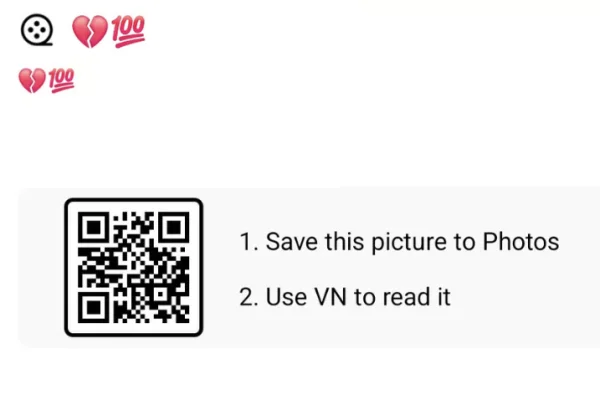
The QR code won't scan. Turn your brightness up and scan the full QR image without cropping it. If you're on the same phone, save the QR and use VN's scan-from-album option.
"Template not found" or expired. VN templates sometimes stop working when the creator removes them. Check back on this page, because we replace broken codes with working ones when available.
Music missing after the template opens. Update VN Video Editor to the latest version, clear the app cache, and scan again.
Export stuck partway. Close background apps, free up at least 1 GB of storage, and export at 1080p.
Caption Ideas
- "Tu meri, toh ye saari hawayein bhi teri."
- "Sab kuch simple hai, jab tu saath hai."
- "Chhote pal, badi yaadein."
- "Is hawa mein bhi teri khushboo hai."
A Small Note About the Music
This page shares a VN template QR code, not the song file. When you post your reel, Instagram and YouTube apply their own music-licensing rules, and in some cases the audio may be muted. If that happens, remove the track inside VN and add the same song from Instagram's music library while posting. The beat timing will still line up closely.
Frequently Asked Questions
Is the Tu Agar Meri Ye Hawayein Teri VN code free?
Yes. It's completely free to scan and use, with no sign-up needed.
Does this template work on iPhone?
Yes. VN Video Editor is available on iOS, and the QR scan works the same way as on Android.
How many photos do I need?
Around 7–9 photos or short clips. A mix of both looks best.
Can I use it for a solo reel?
It's designed for couples, but it also works for a solo "missing someone" or travel reel with soft, windy clips.
Does this VN code work in CapCut?
No. VN templates only open inside VN Video Editor. CapCut has its own separate template system.
How long is the final reel?
About 20–30 seconds, which is ideal for Reels, Shorts and WhatsApp status.
Conclusion
The Tu Agar Meri Ye Hawayein Teri template works because it doesn't try to impress. It's soft, warm and simple, and it lets your moments carry the reel. Choose clips with a bit of wind and movement, keep the light warm, save your best close-up for the peak, and a five-minute edit can end up looking like a small love film.
Note----
- Song credits: I couldn't confirm the singer or film, so I didn't name them. Add them in the first paragraph if you know them, since that helps SEO.
- No lyrics: apart from the title line, I didn't quote any. The caption ideas are original.
- Preview: use your own QR image and a muted screen-recorded preview rather than an embedded reel from another creator.
How to Use the Tu Agar Meri Ye Hawayein Teri VN Code Template 2026 Template:
- 1. Save the QR code to your phone's gallery.
- 2. Open VN Video Editor, which is free on Android and iOS.
- 3. Tap the scan icon near the top of the app's home screen.
- 4. Select the saved QR code image. The template loads with its transitions and colour tone already set.
- 5. Add your photos or clips in story order: beginning, moments, peak, ending.
- 6. Preview the full edit and adjust any clip where a face gets cut off by the zoom.
- 7. Export in 1080p and post it to Instagram Reels, YouTube Shorts or WhatsApp status.
For the cleanest result, replace each template clip with high-resolution vertical (9:16) footage, and keep the original beat markers so your transitions stay perfectly in sync with the music.
More Couple Assets
View AllBest Couple VN Template Code 2026
View Asset