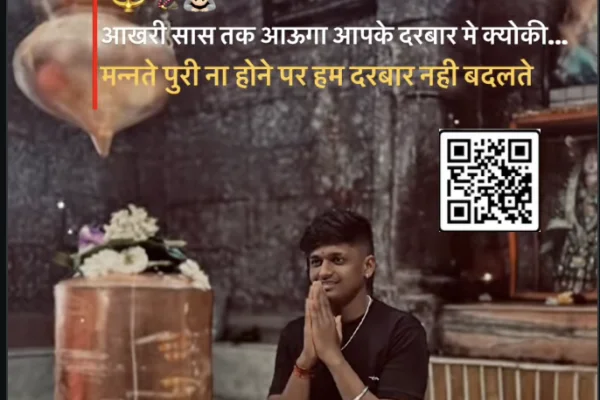
High Resolution • 4K Quality • Optimized for VN App
Compatible with all VN Versions
Jab Zid Pe Aa Gayi Parvati VN Template Code 2026 | Bhakti Reel Edit
Jab Zid Pe Aa Gayi Parvati VN Template Code 2026: The story behind this devotional track is one most of us grew up hearing from our grandmothers – Goddess Parvati's long, patient tapasya to be united with Lord Shiva. This VN template lets you turn your own pooja, temple and festival photos into a short reel that carries the same calm, devoted mood, without spending hours on editing.
This guide explains what the template does, which photos suit a bhakti reel, how to arrange them in a simple story order, a few original ideas, the mistakes that spoil devotional edits, quick fixes if the QR does not open, and captions in Hinglish and English. Everything here is based on how the VN app actually works, so you can follow it step by step.
Why a Bhakti Reel Needs a Different Approach
A party reel or a trending dance edit works with fast cuts, flashy effects and loud transitions. A devotional reel is the opposite. People watch it in a quiet mood – often during Sawan, Teej, Mahashivratri or a family function – and they expect it to feel respectful and peaceful.
That is why a ready-made template helps. The timing, zoom speed and colour tone are already set to suit a slow, gentle track, so you do not accidentally over-edit. You only bring the photos and the intention.
The Story Behind the Song, in Short
According to traditional belief, Parvati, the daughter of Himavan, was determined to marry Lord Shiva and chose the path of long penance and fasting to reach that goal. This story is also linked with the festival of Hartalika Teej, when many women observe a fast. The word "zid" in the title is used in the sense of firm determination and faith, not stubbornness in a negative way.
Knowing this helps you choose better photos. You are not just making a pretty reel, you are showing devotion, patience and effort, and your photo order can reflect that.
What the Jab Zid Pe Aa Gayi Parvati VN Template Does
The template is built for a calm, devotional reel. It opens slowly, follows the rhythm of the track, and ends on a long final frame meant for your most meaningful photo.
- Photos needed: 6 photos (you can mix in short video clips)
- Reel length: around 20–25 seconds
- Format: 9:16 vertical, made for Reels, Shorts and Status
- Style: beat-synced cuts, soft zoom transitions, warm tone
- Works on: Android and iPhone (VN app)
- Price: free to use
Who Can Use This Parvati VN Template
- Women making a Teej or Hartalika Teej memory reel
- Devotees sharing their Sawan Somvar or Mahashivratri darshan
- Couples who want a Shiv-Parvati themed anniversary or wedding reel
- Families making a jagran, satsang or temple trip video
- Bhajan and spiritual pages posting original devotional content
- Anyone who wants to dedicate a reel to their mother or grandmother
Which Photos to Choose for a Bhakti Reel
Start with something still. A lit diya, folded hands, a temple doorway or morning light on a shivling. The first frame sets the mood, so keep it calm.
Use your own pooja moments. Aarti thali, bel patra, flowers, rangoli, temple bells, prasad. Original photos feel genuine and you also avoid any copyright problem.
Include one traditional-wear photo. A saree, suit or kurta clicked in soft daylight looks beautiful in a devotional reel. Keep it natural and modest.
Be careful with deity images. Use a clear photo of an idol you clicked yourself, or artwork you have the right to use. Avoid low-quality, stretched or edited pictures of gods and goddesses.
End with your strongest photo. The last frame stays on screen the longest. A family picture after darshan or a peaceful close-up works well.
Fresh Ideas to Make Your Reel Unique
Make a "then and now" reel. Mix an old family photo from a past festival with a new one. It adds an emotional layer that no generic template reel has.
Dedicate it to someone. Mention your mother's, wife's or sister's name in the caption and tell why this festival matters to her.
Use natural light. Early morning photos near a temple have a soft glow that filters cannot copy.
Add one short line of text on the last frame. A simple line like "Har Har Mahadev" in a clean font is enough.
Post at the right time. Sawan Mondays, Mahashivratri and Teej are the days people look for devotional content most.
Common Mistakes to Avoid
- Low-quality deity pictures. Blurry images look careless.
- Party selfies in a devotional reel. It breaks the mood.
- Cropping the idol's face. Always check the preview before exporting.
- Disrespectful photos. Avoid pictures with shoes near the pooja area or casual poses at the shrine.
- Too many effects. The template is already complete. Extra stickers only distract.
- Exporting in low quality. Choose 1080p so the reel stays sharp after upload.
Jab Zid Pe Aa Gayi Parvati VN Code Not Working? Quick Fixes
QR does not scan: raise screen brightness, hold the phone steady and scan from 15–20 cm away. On the same phone, take a screenshot and use the gallery option in the VN scanner.
Template does not load: update the VN app, check your internet and scan again.
Photos look cropped: tap the photo in the timeline and adjust its position, or choose a photo with the subject near the centre.
No sound after export: check that the audio track is not muted in the timeline.
Export stuck: free some storage, close other apps and export again.
iPhone problem: allow VN to access Photos and Camera in iPhone settings, then scan again.
Captions for Your Bhakti Reel
Hindi / Hinglish:
- Shraddha jab zid ban jaaye, toh raaste khud ban jaate hain.
- Tapasya kabhi bekaar nahi jaati.
- Meri Maa ki aastha, meri sabse badi taakat.
- Har Har Mahadev. Jai Maa Parvati.
- Bharosa rakho, der hai par andher nahi.
English:
- Faith that never gave up.
- When devotion turns into determination.
- Patience, prayer and unshakable belief.
- Har Har Mahadev. Always.
- Believe. Wait. Keep going.
Frequently Asked Questions
How do I use the Jab Zid Pe Aa Gayi Parvati VN template code?
Install the VN app, tap "+", choose Scan QR Code, scan the code on this page, replace the placeholders with your photos and export in 1080p.
Is this VN template free?
Yes, the template and the VN app are free to use.
Does it work on iPhone?
Yes. It works on Android and iPhone with the latest VN app.
How many photos does it need?
It uses 6 photos. You can use short video clips in place of some.
Can I use this in CapCut?
No. VN templates open only in the VN app. In CapCut you can copy the same photo order and edit manually.
Can I change the song?
Yes, you can mute or replace the audio inside VN. Music belongs to its owners, so use audio you are allowed to use.
Which days are best to post this reel?
Sawan Mondays, Mahashivratri, Hartalika Teej and Navratri are popular times for devotional content.
Why is the QR code not scanning?
Low brightness, an old VN version or a slow connection are the usual reasons. Try the fixes listed above.
Conclusion
A good bhakti reel is simple: honest photos, a peaceful order and no extra noise. Pick six moments from your own pooja, temple visit or family gathering, arrange them from calm to emotional, and let the template handle the timing. Scan the QR, swap your pictures, export in 1080p and share it with someone who will feel it. Har Har Mahadev.
Copyright Notice
VNqrCode only shares VN template QR codes and editing guides. We do not host or provide downloads of any song or video. All music belongs to its respective owners. To request removal, see our DMCA page or email contact@vnqrcode.in.
Hashtags: #ParvatiVNTemplate #ShivParvati #HarHarMahadev #BhaktiReel #VNTemplate #VNCode2026 #TeejReel
More Bhakti VN Templates
1980s Vintage VN Template 2026 | Retro VHS Video Effect Code
How to Use the Jab Zid Pe Aa Gayi Parvati VN Template Code 2026 | Bhakti Reel Edit Template:
- 1. Install or update VN Video Editor from the Play Store or App Store. Older versions sometimes fail to open newer templates.
- 2. Save the QR code image from this page to your gallery, or keep it open on another screen.
- 3. Open VN and tap the scan icon at the top of the home screen.
- 4. Scan the QR code, or choose it from your gallery. The template opens with the music and effects already in place.
- 5. Replace the placeholder clips. Tap each slot and choose your own photo or video. Keep the order in mind: calm clips first, powerful clips at the beat drop.
- 6. Check the sync. Play it once all the way through. If a clip cuts off awkwardly, trim it by a few frames.
- 7. Export in 1080p and post.
For the cleanest result, replace each template clip with high-resolution vertical (9:16) footage, and keep the original beat markers so your transitions stay perfectly in sync with the music.
More Bhakti Assets
View AllVN Template Code Mahakal 2026
View Asset