
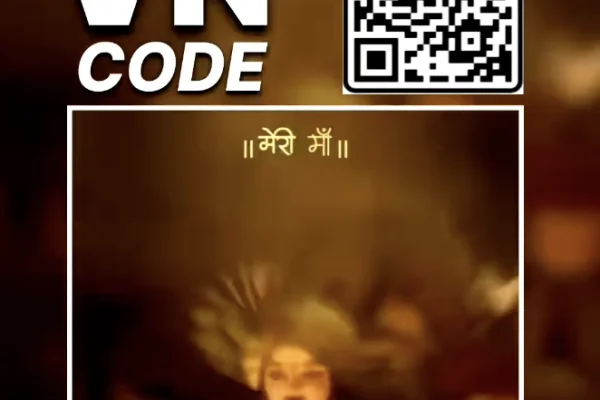
High Resolution • 4K Quality • Optimized for VN App
Compatible with all VN Versions
Join WhatsApp Group
Daily viral VN drops
Mata Rani VN Code 2026
Mata Rani VN Code 2026: The moment Navratri comes close, the whole mood of the house changes. The mandir gets cleaned, someone brings home a new chunri for Mata Rani, the kalash is set up, and everyone's phone fills up with darshan photos, garba clips and aarti videos. Then the same question comes up every year: how do I turn all these photos into one beautiful reel?
The Mata Rani VN code makes that simple. It's a free bhakti template for the VN Video Editor app with devotional music, soft transitions and beat timing already set. You add your darshan photos, puja moments or yatra clips, and in a few minutes you have a Jai Mata Di reel for Instagram, a Navratri WhatsApp status, or a video to share in the family group. Below you'll find which photos suit this template, how to arrange them, a 9-day Navratri reel idea, captions, and quick fixes if the QR doesn't open.
Why a Mata Rani Reel Feels Different From a Normal Post
A single darshan photo with "Jai Mata Di 🙏" is sweet, but it shows just one moment. A Mata Rani reel can show the whole feeling of Navratri: setting up the mandir on day one, the first diya, the evening aarti, the bhog, the trip to the temple, and the kanya pujan on Ashtami or Navami.
That's why Navratri VN templates are among the most searched bhakti templates every year. People aren't only posting content. They're sharing their devotion with family and friends, and for many, a reel is the easiest way to do that.
These reels also travel far in family groups. A good Mata Rani status gets forwarded by mausi, chachi and the whole extended family. It's one of the few kinds of reels where everyone, from kids to dadi, actually watches till the end.
What the Mata Rani VN Template Does
This bhakti VN template opens softly with a gentle glow and slow fades, which suits the first darshan shot. As the devotional music builds, light zooms and smooth slides land on the beats, and the reel ends on a calm, peaceful frame. The colour tone is warm, with reds and golds slightly enhanced, so chunri, diyas, flowers and temple lights look rich without looking over-edited.
There are no flashy glitch effects or shaking transitions. The focus stays on Mata Rani and your devotion.
- Photos needed: around 7–10
- Reel length: about 20–30 seconds
- Format: vertical 9:16, which suits Instagram Reels, YouTube Shorts and WhatsApp status
- Works on: VN Video Editor for Android and iPhone
- Price: free
Who Can Use This Mata Rani VN Code
- Families sharing their home Navratri puja, mandir decoration and kalash sthapana
- Devotees returning from Vaishno Devi, Maihar, Kamakhya, Jwala Ji, Chintpurni or any Devi temple yatra
- Girls and women posting their Navratri looks, chunri, red saree and puja thali moments
- Garba and dandiya lovers who want a devotional opening before their festive clips
- Anyone posting a daily Navratri status for all nine days
Which Photos and Clips to Choose for Your Mata Rani Reel
A clear darshan photo. Start with your best photo of Mata Rani, whether it's your home idol, the temple murti or a picture from a pandal. Make sure it's sharp and well lit, because it sets the tone for the whole reel.
Puja moments. Lighting the akhand jyoti, doing aarti, offering flowers, tying a chunri, the bhog thali. These small moments show real devotion.
Temple and yatra shots. The steps to the bhawan, the temple bells, the line of devotees, the view from the hill. Yatra clips give the reel a sense of a journey.
Warm lighting. Diya light, evening aarti, and temple lights at night all suit the template's warm red-gold tone. Harsh tube-light photos look flat next to them.
Original files, not forwards. Use photos and videos from your own gallery. WhatsApp-forwarded images are compressed and look blurry in a reel.
A small note: don't use photos where the idol is cut off oddly or blurred. With a devotional reel, Mata Rani's image should always look complete and respectful.
How to Arrange Photos So the Reel Tells a Story
Don't add photos randomly. Arrange them like a small bhakti journey:
- Darshan (first 4–5 seconds): a clear, calm photo of Mata Rani. Let the viewer start with her.
- Seva and puja (next 8–10 seconds): lighting the diya, aarti, flowers, the bhog and the family praying together.
- The peak (when the music rises): your strongest shot, such as the full aarti with the flame, the temple glowing at night, or the moment you reached the bhawan.
- Blessing (last 3–4 seconds): a peaceful ending, like a close-up of Mata Rani's face or folded hands, with "Jai Mata Di" as text.
When the reel flows like this, it feels like a darshan, not a slideshow.
Common Mistakes to Avoid
Mixing party clips with puja clips. Keep this reel devotional. Save the garba dance clips for a separate festive template.
Adding more photos than the slots. If the template has 8 slots, use 8. Extra photos rush the timing and break the beat sync.
Text over Mata Rani's image. Place "Jai Mata Di" or the Devi's name at the bottom or top of the frame, never across her face.
Dark, blurry photos. Temple photos taken at night can be grainy. Pick the clearest ones, or use photos taken near the diya light.
Skipping the preview. Watch the full reel once before posting, because the zoom can cut off part of the idol.
Mata Rani VN Code Not Working? Quick Fixes
The QR code isn't scanning. Increase your screen brightness and scan the full QR without cropping. If you're using the same phone, save the QR and use VN's scan-from-album option.
"Template not found" or expired. The creator may have removed it from VN. Check back on this page, because we replace broken codes with working ones when available.
Music missing after import. Update VN Video Editor from the Play Store or App Store, clear the app cache and scan again.
Export stuck at a percentage. Close other apps, free up at least 1 GB of storage and export at 1080p.
Frequently Asked Questions
Is the Mata Rani VN code free?
Yes. It's completely free to scan and use in the VN app, with no sign-up needed.
Can I use this template for all nine days of Navratri?
Yes. Change the photos each day and add that day's Devi name in the text layer to make a 9-day series.
Can I use my Vaishno Devi yatra photos in this template?
Absolutely. Yatra photos and clips work beautifully. Start with the darshan or bhawan photo and end with the blessing frame.
How many photos do I need for the Mata Rani VN template?
Around 7–10 photos or short clips, depending on the number of slots.
Can I change the bhajan in this VN template?
Yes. Tap the music layer in VN, delete the track and add any bhajan from your phone. Preview it once, because the transitions may not match the new beat exactly.
Can I use it as a WhatsApp status?
Yes. The reel is 9:16 and about 20–30 seconds long, which fits WhatsApp status perfectly.
Does this VN code work on iPhone?
Yes. VN Video Editor is available on iOS, and the QR scan works the same way as on Android.
Does it work in CapCut?
No. VN templates only open inside the VN Video Editor app.
Conclusion
A Mata Rani reel doesn't need fancy effects. It needs sincerity. The Mata Rani VN code takes care of the music and transitions, so you can focus on choosing photos that show your real devotion: the first diya, the aarti, the darshan, the family together in front of Maa. Arrange them like a darshan journey, keep the reel respectful, and let your bhakti reach everyone who watches it. Jai Mata Di
Copyright Notice
VNqrCode only shares VN template QR codes and editing guides. We do not host or provide downloads of any song or video. All music belongs to its respective owners. To request removal, see our DMCA page or email contact@vnqrcode.in.
#MataRani #JaiMataDi #MataRaniVNCode #NavratriVNCode #VNTemplate2026 #NavratriStatus #BhaktiReels #SherawaliMaa #VNCode
More Bhakti VN Templates
How to Use the Mata Rani VN Code 2026 QR Code:
- 1. Save the QR code to your phone's gallery.
- 2. Open VN Video Editor, which is free on both Android and iOS.
- 3. Tap the scan icon near the top of the app's home screen.
- 4. Select the saved QR code image. The template loads with the bhajan and transitions already set.
- 5. Add your photos in order: darshan first, then puja moments, your strongest shot at the peak, and a calm blessing frame at the end.
- 6. Tap the text layer and type "Jai Mata Di" or that day's Devi name.
- 7. Preview the full reel and check that Mata Rani's image isn't cut off anywhere.
- 8. Export in 1080p and share it on Instagram Reels, YouTube Shorts or WhatsApp status.
- 9. Pro Tip: Use clear, original photos from your gallery instead of WhatsApp forwards, and keep the original beat markers so your transitions stay in sync with the bhajan.
For the cleanest result, replace each template clip with high-resolution vertical (9:16) footage, and keep the original beat markers so your transitions stay perfectly in sync with the music.
More Bhakti Assets
View All
VN Template Code Mahakal 2026
View Asset
Mahadev VN QR Code 2026
View Asset Bairan Song Lord Mahadev VN Template 2026
View Asset