
High Resolution • 4K Quality • Optimized for VN App
Compatible with all VN Versions
Join WhatsApp Group
Daily viral VN drops
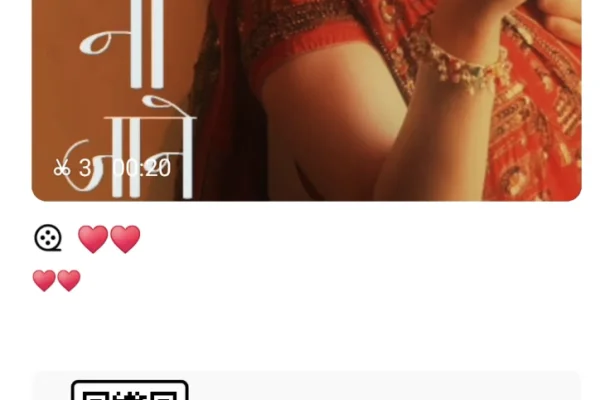
Heer Na Jaane Raanjha VN QR Code 2026
The Heer Na Jaane Raanjha VN QR code gives you a ready-made sad-romantic edit inside VN Video Editor. The slow transitions, warm faded grade and beat timing are already set, so all you do is add your own photos or clips. Scan the code, fill the slots, and export. It's free, needs no sign-up, and works on both Android and iPhone.
What decides whether this reel works is the choice of clips, not the template. A slow emotional edit filled with bright, happy party photos feels wrong even if every transition lands on the beat. The sections below explain which clips suit this song, how to arrange them, and how to fix the problems people usually run into.
Why Heer-Ranjha Reels Hit Differently
Most couple templates are about celebration: first dates, anniversaries, "found my person" moments. Heer and Ranjha's story is different. It's Punjab's best-known tragic romance, retold for more than 250 years since Waris Shah wrote his Heer in 1766. Ranjha leaves his home in Takht Hazara, ends up herding buffaloes for Heer's family in Jhang just to be near her, and plays his flute by the river while she listens. Their love is real, but the world around them never accepts it.
That's the emotion behind songs like Heer Na Jaane Raanjha: loving someone completely while something keeps you apart. It explains why the trend works for so many kinds of reels:
- Long-distance couples who want to show missing each other rather than just being together
- Heartbreak and "missing someone" statuses, often shared quietly on WhatsApp late at night
- Pre-wedding and couple shoots that want a cinematic, bittersweet feel instead of a filmy happy one
- Punjabi culture edits, such as fields, village roads, phulkari dupattas and old havelis, which suit the Heer-Ranjha setting
What the VN Template Does
The template is built for slow storytelling. The opening clips hold longer on screen with soft crossfades, which gives the viewer time to feel each frame. As the song builds, the cuts get tighter and a gentle zoom starts landing on the beats. The colour grade leans warm with slightly faded blacks, close to the look of old film photos.
That means the template rewards fewer, better clips. It isn't meant to squeeze 20 photos into 25 seconds. Around 7–9 carefully chosen photos or short clips work best.
What Kind of Footage Works Best
Before you open VN, spend five minutes picking clips. It makes a much bigger difference than any setting inside the app.
Distance and separation shots. Two people standing apart, someone walking away down a road, a hand reaching toward another hand without quite touching. These carry the Heer-Ranjha feeling better than any close hug.
Small details. A ring on a finger, a dupatta caught in the wind, two cups of chai on a table, an old photo held in a hand. Close-ups make a phone edit feel cinematic.
Soft, natural light. Golden hour and cloudy afternoons both suit the warm faded grade. Harsh midday sun and white tube-light indoor shots fight against it.
Slow movement. If your phone can shoot at 60 fps, use it. VN can then slow the clip down smoothly. Shaky, fast handheld clips break the calm mood.
Punjabi settings, if you have them. Mustard or wheat fields, a village kuccha road, a river bank, or a traditional outfit. These link your reel directly to the story people already know.
Structuring Your Reel Like a Story
Think of your reel as a very short film with four parts rather than a random photo dump:
- The quiet start (first 6–8 seconds): a single person, looking away, a window, rain, an empty chair.
- The memory (next 8–10 seconds): happier moments together, like walking side by side, laughing, holding hands.
- The peak (when the song rises): your strongest emotional frame, such as the closest portrait or the most meaningful moment.
- The ending (last 3–4 seconds): something unresolved, like one person walking away, a sunset, or a hand letting go.
This structure matches how the template's pacing builds, which is why it feels natural when you play it back.
Common Mistakes to Avoid
Filling every slot with selfies. Five front-camera selfies in a row look flat. Mix in wide shots and detail shots.
Mixing lighting colours. A yellow-bulb photo next to a white-tube-light photo makes the grade look patchy. Try to keep all clips in similar light.
Using WhatsApp-forwarded videos. WhatsApp compresses videos heavily, and they'll look blurry after export. Always pick the original file from your camera roll.
Adding more clips than the template has slots. It squeezes the timing, and the transitions stop hitting the beat.
Putting text over faces. If you add a caption line inside the video, keep it in the lower third or on empty sky, never across someone's eyes.
Template Not Working? Quick Fixes
The QR code won't scan. Turn your screen brightness up and scan the full, uncropped image. If you're on the same phone, save the QR and use VN's scan-from-album option.
"Template not found" or expired message. The original creator may have removed the template from VN. Check back on this page, because we replace broken codes with working ones when they're available.
Music missing after the template opens. Update VN Video Editor to the latest version, clear the app cache, and scan again.
Export stuck partway. Close background apps and free up at least 1 GB of storage, then export again at 1080p.
Photos cropped badly. Tap the clip inside VN and adjust its position in the frame. Vertical 9:16 photos need the least adjustment.
Frequently Asked Questions
Is the Heer Na Jaane Raanjha VN QR code free?
Yes. It's completely free to scan and use, with no sign-up and no watermark from our side.
Does this template work on iPhone?
Yes. VN Video Editor is available on iOS, and the QR scan works the same way as on Android.
How many photos or clips do I need?
Around 7–9. You can use only photos, but a few short video clips make the reel feel more alive.
Can I use this template for a solo sad reel instead of a couple reel?
Yes. Use single-person shots such as walking alone, looking out a window, or rain, and follow the four-part story structure above.
Does this VN template work in CapCut?
No. VN templates only open inside VN Video Editor. CapCut uses its own separate template system.
How long will the final reel be?
About 20–30 seconds, which is ideal for Instagram Reels, YouTube Shorts and WhatsApp status.
Conclusion
The Heer Na Jaane Raanjha template works because it doesn't try to be loud. It gives you a slow, warm, bittersweet frame, and your clips fill in the story. Pick moments that show distance and longing rather than just smiles, keep the lighting consistent, and let the strongest frame land when the song rises. Do that, and a five-minute phone edit can feel like a short film.
Hashtags: #HeerNaJaaneRaanjha #HeerRanjha #SadVNTemplate #VNQRCode #VNTemplate2026 #CoupleReels #PunjabiSad #SadStatus
How to Use the Heer Na Jaane Raanjha VN QR Code 2026 QR Code:
- 1. Save the QR code to your phone's gallery.
- 2. Open VN Video Editor, which is free on Android and iOS.
- 3. Tap the scan icon near the top of the app's home screen.
- 4. Select the saved QR code image. The template loads with its transitions and grade already set.
- 5. Add your photos or clips in story order: quiet start, memories, peak, ending.
- 6. Preview the full edit and adjust any clip where a face gets cut off.
- 7. Export in 1080p and post it to Instagram Reels, YouTube Shorts or WhatsApp status.
For the cleanest result, replace each template clip with high-resolution vertical (9:16) footage, and keep the original beat markers so your transitions stay perfectly in sync with the music.