
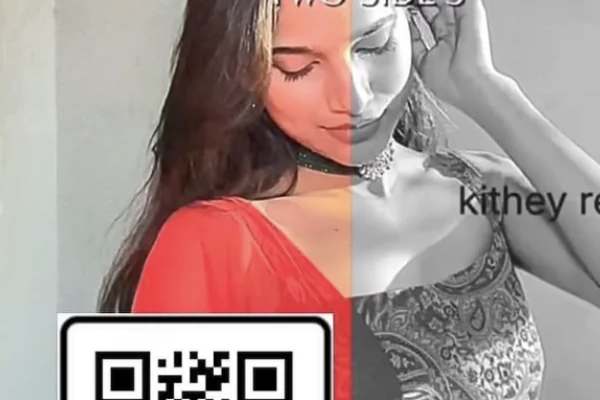
High Resolution • 4K Quality • Optimized for VN App
Compatible with all VN Versions
Join WhatsApp Group
Daily viral VN drops
Trending VN QR Code 2026 | Free VN Template Codes to Scan
If you've spent any time watching reels, you've noticed that a lot of them share the same rhythm. Same cuts landing on the same beats, same transitions, same colour treatment. That isn't coincidence and it isn't talent — it's a template, and most of them were imported with a single scan.
A trending VN QR code is just a shortcut to a finished edit. Someone builds the project once in VN Video Editor, shares it as a code, and anybody who scans it gets the entire timeline — cut timing, transitions, effects, colour — already built. You drop your own clips into the slots and export. Three minutes instead of an hour.
The catch is that scanning the most popular code doesn't automatically get you a good reel. Most people pick whatever is trending, force their footage into it, and end up with a technically clean edit that nobody watches. Below are the current trending codes, plus the two things that actually decide whether your reel works: picking a template that suits the footage you already have, and catching a trend before everyone else does.
What a VN QR Code Actually Is
VN Video Editor (also called VlogNow) lets creators export an entire project as a shareable template. The QR code is just a link to that project file.
When you scan it, VN opens with everything already in place — clip slots, timing, transitions, text layers, colour grading. Your job is only to swap the placeholder clips for your own and adjust where each clip is trimmed.
Two things worth knowing. The template carries the timing, not always the audio — you'll often need to add the song yourself. And the slot count is fixed, so deleting a slot breaks the beat sync for everything after it.
VN is free on Android and iPhone, and it exports without a watermark, which is the main reason this whole ecosystem exists.
Pick the Template to Fit Your Footage, Not the Other Way Round
This is where most reels are lost, and it happens before any editing starts.
People find a template they like, then dig through their gallery trying to fill fourteen slots with whatever they can find. What comes out is a reel padded with weak clips, and one bad clip in a fast-cut template stands out far more than it would in a slow one.
Work backwards instead. Open your gallery first and count what you genuinely have.
Four to six good clips — use a slow template with longer holds. Emotional, romantic and devotional templates are built this way, and they give each clip room rather than exposing it.
Ten or more clips — a fast beat-sync template will carry them. Quick cuts hide individual weaknesses because nothing stays on screen long enough to be examined.
Mostly photos — pick a template designed for stills, with pans and zooms rather than hard cuts. Photos dropped into a fast video template look static and dead.
One strong clip and not much else — don't use a template at all. Post the single clip. A forced multi-slot edit around one good moment is always worse than the moment on its own.
The template should be chosen after you know what you're working with. It takes thirty seconds and it changes the result more than any editing decision you'll make afterwards.
Catching a Trend Before It's Saturated
Trending audio templates work brilliantly for about a week. After that the same sound has hundreds of thousands of reels on it and the reach is already spread thin.
Check the use count before you commit. Tap the audio on Instagram and look at how many reels use it. Under fifty thousand and you're early. Past a few hundred thousand, your footage has to carry the reel entirely on its own.
Watch where the trend is in its curve, not just whether it's trending. An audio that's been climbing for three days is worth your evening. One that's been everywhere for two weeks isn't.
Festival templates are the exception. They're predictable — you know Navratri is 11 October and Diwali is in November — so you can prepare early instead of reacting. That's the easiest reach available all year, and most people still start on the day itself.
Post the same day you edit. Trend content decays by the hour, not by the week. A reel sitting in your gallery for two days has already lost most of what it was worth.
Common Problems and Fixes
The QR code isn't scanning. Turn your screen brightness all the way up, or use the direct download button. Some camera apps block redirect links by default.
The link opens in a browser instead of VN. Long-press it, copy it, and paste it into VN's import field inside the app.
The transitions feel off-beat. You deleted or moved a slot. Re-import the template rather than trying to fix the timing by hand.
My clips look stretched. Crop your footage to 9:16 before importing instead of letting VN stretch it to fill the slot.
There's no music in my export. Templates carry timing, not always the audio track. Add the song inside VN, or better, add it in Instagram after uploading.
Instagram muted my audio. Copyright claim on the recording you exported. Re-upload without embedded music and select the same track from Instagram's own library.
The export looks blurrier than the preview. Check the export bitrate in VN's settings — it sometimes resets to a lower default after an app update.
I don't have enough clips. Split one longer clip into two segments rather than repeating the same shot twice. Repetition is more noticeable than you'd think.
Frequently Asked Questions
Are VN QR codes free? Yes. Every code here is free to import, and VN exports without a watermark on the free version.
Do I need to pay for VN Pro? No. Everything these templates use works in the free version.
Does it work on iPhone? Yes. VN runs on both Android and iOS and the same codes import on either.
Can I edit a template after importing it? You can, but changing slot counts or clip lengths breaks the beat sync. Trim inside the slots instead.
Can I use photos instead of video? Yes, though mixed reels feel more alive. Even two moving clips among stills change the pacing completely.
How often are new codes added? New templates go up as trends emerge, with festival templates added ahead of each occasion rather than on the day.
Why does my reel look different from the preview? The preview uses footage shot in consistent lighting. Mixed-source clips always look less uniform — reducing the colour grade opacity inside VN helps.
Can I use these codes for YouTube Shorts too? Yes. They're 9:16, which works for Shorts and WhatsApp Status as well as Reels.
Conclusion
A template solves the slowest part of making a reel, and it does it for free. What it can't do is choose good footage, and it can't put you early on a trend.
Count your clips before you pick a code. Check an audio's use count before you spend your evening on it. And for anything tied to a festival, prepare a few days ahead rather than on the day — that alone puts you in front of almost everyone else using the same template.
Bookmark this page; new trending VN QR codes are added as trends appear, and festival templates go up ahead of each occasion.
How to Use the Trending VN QR Code 2026 | Free VN Template Codes to Scan QR Code:
- 1. Install VN Video Editor (VlogNow) — free on Android and iPhone, no watermark on export.
- 2. Scan the QR code of the template you want, and choose VN when your phone asks.
- 3. Replace the placeholder clips with your own, keeping the same number of slots.
- 4. Trim inside each slot so the best moment sits in the visible window.
- 5. Export at 1080p, 30fps and post.
For the cleanest result, replace each template clip with high-resolution vertical (9:16) footage, and keep the original beat markers so your transitions stay perfectly in sync with the music.