
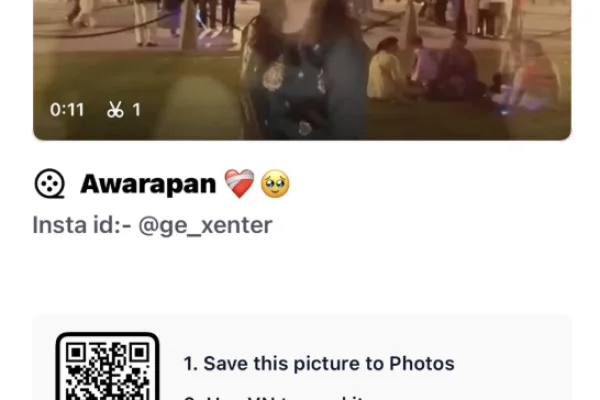
High Resolution • 4K Quality • Optimized for VN App
Compatible with all VN Versions
Awarapan 2 Trending Dialogue VN Code 2026
Awarapan 2 Trending Dialogue VN Code: When the Awarapan 2 teaser dropped on 29 June 2026, it wasn't the visuals that spread fastest across social media. It was Emraan Hashmi's dialogues. He delivered them with the same raw, intense weight that made the original Awarapan a cult favourite, and those lines have since powered a distinct VN template trend. It's separate from the earlier song-based Awarapan edits, which focused purely on mood and music.
This guide covers everything about the Awarapan 2 dialogue VN template: why dialogue reels work differently, what the template is built around, which clips suit it, how to structure your edit, and quick fixes if the QR code doesn't work.
Why Awarapan 2 Dialogue Reels Hit Differently Than Song-Based Edits
A song-based sad edit relies entirely on melody and pacing to carry the emotion. The viewer feels something without necessarily processing specific words. A dialogue-based reel works the opposite way: the words themselves carry the emotion.
When a line carries genuine weight, about fate, loss, or a story that isn't fully yours to end, pairing it with the right visual does more narrative work in five seconds than most edits manage in fifteen. That's exactly why the Awarapan 2 dialogue trend has spread independently of the film's release. The teaser alone gave creators enough emotional material to build on.
It also connects with a huge audience that grew up on Emraan Hashmi films. For them, his voice and delivery are part of the emotion, not just background audio. That nostalgia plus fresh teaser content is a big reason the Awarapan 2 VN code is trending right now.
What the Awarapan 2 Dialogue VN Template Is Built Around
Rather than syncing to a beat, this template times its transitions to the rhythm and pauses of spoken dialogue. A slow zoom holds through a pause, and a cut lands right as a key word does. The colour grading stays desaturated and cinematic, matching the teaser's own visual tone. The pacing is deliberately unhurried, giving each line room to register before moving to the next.
In simple terms, the template follows three rules:
- Dialogue first, visuals second. Every transition serves the spoken line.
- Silence is part of the edit. The pauses between lines are timed on purpose.
- Muted, dark colour tone. Desaturated shadows and soft contrast keep the mood heavy and cinematic.
Who Should Use This Emraan Hashmi Dialogue VN Template
- Sad and heartbreak reels, like a lost relationship, one-sided love, or moving on
- Attitude and solo reels where you want a serious, intense look instead of a flashy one
- Night drive and rain edits, which pair naturally with dialogue-heavy audio
- Emraan Hashmi fans who want to post a tribute-style edit around the Awarapan 2 teaser
- WhatsApp status creators looking for a short, powerful 15–25 second video
What Kind of Footage Works for an Awarapan 2 Dialogue Reel
Dialogue-driven edits are less forgiving than song-based ones, since a mismatched visual against a specific line breaks the illusion immediately.
- Slow, still moments, like a distant stare, someone walking away, or rain against a window, rather than busy action
- Close-up shots with genuine, unguarded expression, since the dialogue needs a face or detail to rest on during pauses
- Low, moody lighting. Evenings and dim indoor settings suit the teaser's tone far better than bright daylight.
- One strong clip per line, which often works better than cramming several clips into one dialogue segment
- Street and city night shots, such as empty roads, streetlights, a car dashboard or a train window, which match the film's lonely, wandering mood
How to Structure Your Awarapan 2 VN Code Reel
A dialogue edit works best when it feels like a scene from a film. Try this simple structure:
- Opening silence (first 2–3 seconds): a wide, quiet shot, like a road at night, a window or a sky. Let the viewer settle in.
- First line: a close-up of a face or a detail (eyes, hands, a cigarette-free alternative like a cup of tea going cold) that matches the words.
- The pause: hold on one slow clip, such as someone walking away or rain falling. Don't cut here.
- The strongest line: your most powerful, expressive close-up, timed exactly with the key word.
- Ending frame: something unresolved, like a back view, a fading light, or an empty chair.
With only 3–5 clips, each one carries weight, and that's what makes the edit look cinematic instead of rushed.
Common Mistakes to Avoid in Dialogue VN Templates
- Rushing past the pauses. The power of this template comes from letting the silence between lines breathe. Cutting too quickly kills the effect.
- Using bright, high-energy footage. It clashes with both the dialogue's tone and the desaturated colour grading.
- Overloading the edit. Three to five clips, each matched to a specific line, tell a stronger story than a crowded sequence.
- Skipping the preview. This template depends on precise timing against spoken words, so a transition landing even slightly off is far more noticeable than in a music-only edit.
- Using WhatsApp-forwarded clips. Compressed videos look blurry in a dark, desaturated grade. Always use original files from your camera roll.
Awarapan 2 VN Code Not Working? Quick Fixes
The QR code won't scan. Increase screen brightness and scan the full, uncropped QR. On the same phone, save the QR and use VN's scan-from-album option.
"Template not found" or expired. The creator may have removed it from VN. Check back on this page, because we replace broken codes with working ones when available.
Dialogue audio missing after import. Update VN Video Editor to the latest version, clear the app cache, and scan again.
Transitions not matching the words. Don't replace clips with videos much shorter than the slot, because that can shift the timing. Trim longer clips to fit instead.
Export stuck. Close background apps, free up at least 1 GB of storage, and export at 1080p.
Caption Ideas for Your Awarapan 2 Dialogue Reel
- "Kuch kahaniyan khatam nahi hoti, bas ruk jaati hain."
- "Awarapan dil ka tha, wajah tum thi."
- "Har raasta wahi le jaata hai jahan tum ho."
- "Khamoshi bhi bahut kuch keh jaati hai."
Frequently Asked Questions
Q1. Is the Awarapan 2 dialogue VN code free?
Yes. It's completely free to scan and use in the VN app.
Q2. Is this the same as the earlier Awarapan VN template?
No. That version is built around the song's mood and pacing. This one is built specifically around the teaser's spoken dialogue and its rhythm.
Q3. When does Awarapan 2 release?
As of the teaser's release on 29 June 2026, the full film's release date wasn't confirmed. Check current listings for the latest update.
Q4. How many clips does this template need?
Generally 3–5, each ideally matched to a specific dialogue moment rather than placed randomly.
Q5. Is VN Video Editor free on iPhone as well as Android?
Yes, it's free on both platforms.
Q6. Can I use this dialogue template for a solo reel?
Yes. It works especially well for solo sad, attitude and night-drive reels.
Q7. Does the Awarapan 2 VN code work in CapCut?
No. VN templates only open inside VN Video Editor. CapCut uses its own template system.
Conclusion
The Awarapan 2 dialogue trend works because it treats spoken words as the emotional centre of the edit, not just background audio. A slow, deliberate edit that lets each line land gives ordinary footage real cinematic weight. Match your clips to the mood of specific lines, respect the pauses, and this template will carry the same raw intensity that made the teaser so widely shared.
Hashtags: #Awarapan2 #EmraanHashmi #Awarapan2Dialogue #VNCode #VNTemplate2026 #SadDialogue #DialogueReels #SadStatus
Copyright Notice
VNqrCode only shares VN template QR codes and editing guides. We do not host or provide downloads of any song, dialogue or video. All audio belongs to its respective owners. To request removal, see our DMCA page or email contact@vnqrcode.in.
How to Use the Awarapan 2 Trending Dialogue VN Code 2026 QR Code:
- 1. Save the QR code for the template to your phone's gallery.
- 2. Open VN Video Editor — free on both Android and iOS.
- 3. Tap the scan icon near the top of the app's home screen.
- 4. Select the saved QR code image; the template loads with its transitions, color grading, and audio already set.
- 5. Add your own clips into the available slots, ideally matching each clip's mood to the specific line playing over it.
- 6. Preview the full edit carefully, since dialogue-timed transitions need to land precisely on the pauses.
- 7. Export in HD and post to Instagram Reels or share as a WhatsApp status.
For the cleanest result, replace each template clip with high-resolution vertical (9:16) footage, and keep the original beat markers so your transitions stay perfectly in sync with the music.