
High Resolution • 4K Quality • Optimized for VN App
Compatible with all VN Versions
Couples Walking Together VN Template QR Code 2026
A simple walking shot is one of the most underrated pieces of footage a couple can film — no big gesture, no dramatic pose, just two people moving together naturally. It's also one of the hardest to get genuinely right, which is exactly why this VN template focuses so heavily on framing and pacing rather than flashy transitions.
Why Walking Footage Is Harder Than It Looks
A walking shot lives or dies on rhythm — footsteps that don't sync, a camera that trails awkwardly behind, or a frame that clips someone's head all break the effect instantly. Unlike a posed photo, there's no single frame to "get right" — the whole few seconds of movement has to feel natural, which is why this template's pacing is built around smooth, continuous motion rather than quick cuts.
What the VN Template Actually Does
The template applies smooth, cinematic transitions and a color grade suited to outdoor, natural-light walking footage, with pacing that holds on movement rather than cutting away quickly. It's built to let a simple walking shot feel intentional and polished rather than like a random clip.
Filming Tips That Actually Make This Work
- Walk at a genuinely natural pace, not a slowed-down "for the camera" pace. Overly deliberate walking reads as staged rather than candid.
- Film from slightly ahead or to the side, not directly behind. A side or three-quarter angle captures expressions and movement far better than a rear view.
- Keep the camera steady but moving with you. A locked static shot as you walk out of frame looks less natural than a camera that moves gently alongside.
- Choose a location with a clear path and minimal background clutter, so the framing stays clean throughout the shot.
Common Mistakes to Avoid
- Filming from directly behind. It removes any visible expression, which is often the most engaging part of the shot.
- Walking unnaturally slowly. It looks staged rather than candid, undercutting the whole point of this style.
- Using a shaky, handheld shot with no stabilization. Even minor shake is far more noticeable in continuous walking footage than in a quick cut.
- Skipping the preview. A transition landing awkwardly mid-stride is easy to miss without checking first.
Frequently Asked Questions
Q1. Is this VN template free?
Yes, it's completely free to download and use.
Q2. How long should the walking clip be?
5-8 seconds is usually enough — long enough to establish natural rhythm, short enough to hold attention.
Q3. Is VN Video Editor free on iPhone as well as Android?
Yes, it's free on both platforms.
Q4. Can I use this template for a solo walking shot instead of a couple?
Yes, the same framing and pacing principles apply just as well to solo content.
Conclusion
The Couples Walking Together VN template works best when the footage itself feels genuinely unposed — natural pace, a good angle, and steady but moving camera work do more for this style than any transition effect. Get those filming basics right, and the template turns a simple walk into something that actually looks cinematic.
How to Use the Couples Walking Together VN Template QR Code 2026 QR Code:
- 1. How to Use the Couples Walking Together VN Template
- 2. Save the QR code to your phone's gallery.
- 3. Open VN Video Editor — free on both Android and iOS.
- 4. Tap the scan icon near the top of the app's home screen.
- 5. Select the saved QR code image; the template loads with its transitions and color grading already set.
- 6. Add your walking footage into the available slot.
- 7. Preview the edit, checking that the pacing matches the natural rhythm of your footage.
- 8. Export in HD and post.
For the cleanest result, replace each template clip with high-resolution vertical (9:16) footage, and keep the original beat markers so your transitions stay perfectly in sync with the music.
More Couple Assets
View All
Best Couple VN Template Code 2026
View Asset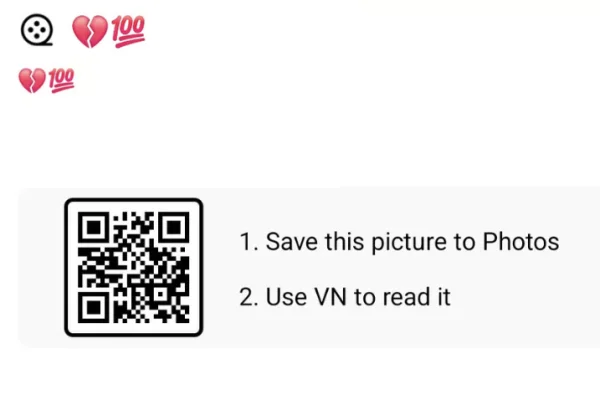
Mohabbat Me Pad Gaye Ho VN Template 2026
View Asset Aryan Kelvin Viral Editing Style — A Closer Look
View Asset