
High Resolution • 4K Quality • Optimized for VN App
Compatible with all VN Versions
Join WhatsApp Group
Daily viral VN drops
New Bhojpuri Song VN QR Code 2026
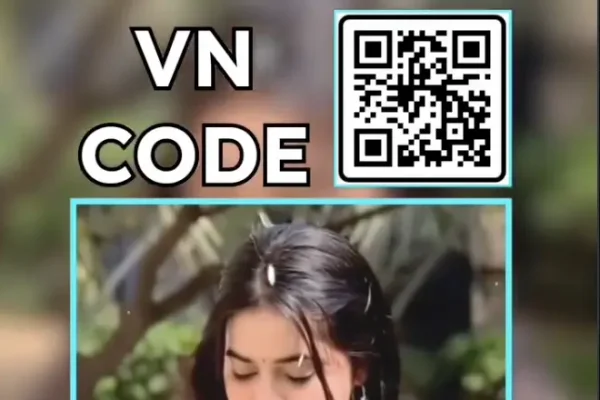
Bhojpuri music has one of the most consistent reel cultures on Instagram, and the current standout is "Mehari Ke Pyar," sung by Shilpi Raj — a track that's already trending on its own and getting a further push from a dedicated VN QR code built around it. This guide covers what a VN QR code actually is (since it's a bit different from a regular template link), how the Mehari Ke Pyar code works specifically, and how to set it up step by step.
What a VN QR Code Actually Is (And Why It's Different)
A lot of people use "VN template" and "VN QR code" interchangeably, but there's a small technical distinction worth understanding. A VN QR code is a scannable image that, when scanned inside the VN Video Editor app, pulls an entire pre-built project directly into your app — transitions, color grading, text layers, and audio all bundled together in one scan. This is different from a template link, which usually redirects you to a download page first. The QR code method is faster because it imports the whole project in a single step, without needing to browse or click through a separate page.
That's part of why QR codes specifically (rather than just "templates") have become the preferred sharing format for trending Bhojpuri content — creators can post a QR code directly in a reel or story, and viewers scan it straight from their camera without leaving the app.
Why "Mehari Ke Pyar" Is Spreading So Fast
- The song was already popular before the template trend started. Shilpi Raj's Bhojpuri tracks consistently perform well, so this VN code had a built-in audience the moment it released.
- Cinematic, beat-synced editing boosts an already-trending song further. Pairing a song people already like with polished, professional-looking transitions increases watch time, shares, and overall engagement compared to a plain, unedited clip.
- It fits the popular "daily mini vlog" trend. A big share of current Bhojpuri reel content is village or daily-life footage stitched together with a trending song — this QR code slots directly into that format.
What the VN QR Code Actually Does
Once scanned, this project applies cinematic color grading and beat-synced transitions timed to "Mehari Ke Pyar," turning ordinary daily clips or photos into a polished, emotionally-paced reel without any manual editing.
What Kind of Footage Works Best
- Genuine, everyday moments — daily life, village settings, or candid emotional clips
- Good natural lighting, since the cinematic color grading shows best with clear footage
- A mix of wider scene-setting shots and closer emotional moments
- 4-6 clips is generally enough to match the song's pacing without feeling rushed
Common Mistakes to Avoid
- Scanning a low-resolution or blurry QR code image, which can fail to load properly — always save the original, uncompressed image.
- Overloading the edit with too many clips. More than 6-7 clips tends to rush the pacing.
- Ignoring lighting consistency, since mismatched lighting between clips is more noticeable with cinematic-style grading.
- Skipping the preview before exporting. A beat-sync transition landing off-rhythm undercuts the whole effect.
Frequently Asked Questions
Q1. What's the difference between a VN QR code and a VN template link?
A QR code loads the entire pre-built project directly into the VN app in one scan, while a template link usually redirects you to a separate download page first.
Q2. Is the Mehari Ke Pyar VN QR code free?
Yes, it's completely free to download and use.
Q3. How many clips does this project need?
Most versions work well with 4 to 6 clips.
Q4. Is VN Video Editor free on iPhone as well as Android?
Yes, it's free on both platforms.
Q5. Can I use this QR code for content other than romantic or village-life clips?
Yes, its cinematic pacing works for general daily vlog content too, not just one specific theme.
Conclusion
The Mehari Ke Pyar VN QR code works because it pairs an already-popular Bhojpuri track with polished, beat-synced editing that turns ordinary daily clips into something genuinely watchable. Scan it directly from the original QR image, keep your footage well-lit and consistent, and this project will do the rest.
How to Use the New Bhojpuri Song VN QR Code 2026 QR Code:
- 1. How to Use the Mehari Ke Pyar VN QR Code
- 2. Download and save the QR code image to your phone's gallery.
- 3. Open the VN Video Editor app — free on both Android and iOS.
- 4. Tap the scan icon near the top of the app's home screen.
- 5. Select the saved QR code image from your gallery; the entire project loads automatically.
- 6. Add your own clips or photos into the available slots.
- 7. Preview the full edit, checking that the beat-sync lands cleanly.
- 8. Export in HD and post to Instagram Reels or share as a WhatsApp status.
For the cleanest result, replace each template clip with high-resolution vertical (9:16) footage, and keep the original beat markers so your transitions stay perfectly in sync with the music.