
High Resolution • 4K Quality • Optimized for VN App
Compatible with all VN Versions
Ek Taraf Bhram Ek Taraf Karam VN Template 2026
Some songs don't just play — they make you pause. The track "Ek Taraf Bhram Ek Taraf Karam" is one of those. It sits right between illusion and action, between doubt and duty, and that quiet, philosophical mood is exactly why it has taken over the reflective side of Instagram Reels in 2026. Pair that audio with the right edit and you get a reel that feels less like content and more like a moment. The easiest way to make that edit is the Ek Taraf Bhram Ek Taraf Karam VN template.
In this guide I'll explain what this template is, why its slow-cinematic style works so well, and how to load and use it in the VN app step by step — even if you have never edited a video before.
What Is the Ek Taraf Bhram Ek Taraf Karam VN Template?
VN is a free video editing app for Android and iOS that most reel creators in India now swear by. A template in VN is a ready-made project: the music, the cuts, the fades, the colour grade and the text animations are already placed on the timeline. You don't build anything from scratch — you just drop your own clips into the empty slots and the edit comes together on its own.
This particular template is built around the "Ek Taraf Bhram Ek Taraf Karam" song — a soulful, motivational-devotional track whose title captures the tension between bhram (illusion) and karam (one's actions or duty). Because the mood is introspective, the template uses slow, deliberate pacing, soft fades and muted colour tones rather than fast, flashy cuts. It usually comes in both male and female vocal versions, so you can pick whichever fits your reel. When people search for the Ek Taraf Bhram Ek Taraf Karam VN template 2026, this cinematic, reflective edit is what they're after.
Why This Template Works So Well
Not every trend suits every creator, but this one has a wide appeal, and here's why:
- The audio carries emotion. The philosophical lyrics give your reel instant depth — perfect for motivational, spiritual or self-reflection content.
- Less is more. Unlike high-energy templates that need a dozen clips, this one shines with just 3 to 5 quiet, meaningful shots.
- The pacing is already right. Slow fades and gentle timing are the hardest thing to get correct by hand, and the template does it for you.
- It suits real moments. A sunrise, a temple, a candid portrait, a walk alone — ordinary footage looks cinematic inside this edit.
Tips for a Standout Cinematic Reel
Since the template handles the timing, your footage choices make the difference:
- Shoot vertical. Reels live in 9:16, so portrait clips fill the frame without ugly cropping.
- Pick quiet moments. This edit loves stillness — a slow pan, a candid glance, a calm landscape — not posed or high-energy shots.
- Keep the colours consistent. Footage with a similar muted, warm tone makes the whole reel feel like one film.
- Choose the right vocal version. Male and female versions carry slightly different moods — match it to your visuals.
- Let it breathe. Resist adding heavy text; a short, meaningful caption fits this reflective tone far better.
Common Mistakes to Avoid
- A blurry QR screenshot. If the code is cropped or unclear, VN can't read it — save the full, sharp image.
- An outdated app. Older VN versions may not open newer templates; update the app if a scan won't load.
- Overloading the slots. This template is built for a few clips. Cramming in more breaks its calm pacing.
- Low-resolution export. A cinematic edit deserves an HD export — always check your settings before saving.
Is It Safe to Use VN QR Code Templates?
Yes. Scanning a template through the official VN app is safe — the QR code only loads an editing project and never asks for logins, payments or personal data. The one rule worth following is to install the VN app itself only from the official Google Play Store or Apple App Store, and to avoid random "modded" versions. The genuine app is already free, so there's no reason to risk a tampered copy.
Get the Ek Taraf Bhram Ek Taraf Karam VN QR Code (2026)

Press and hold the QR code above to save it, then follow the steps in this guide to open it inside the VN app.
Frequently Asked Questions
Is the Ek Taraf Bhram Ek Taraf Karam VN template free?
Yes. Both the VN app and the template are free. You only need the app installed and the QR code saved to your phone.
How many clips does this template need?
Just 3 to 5 clips are usually enough. The template is designed for slow, meaningful footage rather than a large number of fast cuts.
Is there a male and female version?
Yes. The track comes in both male and female vocal versions, so you can pick the one that matches the mood of your reel.
Does it work on iPhone?
Absolutely. VN runs on both Android and iOS, and the QR scanning steps are the same on either platform.
Why won't my QR code scan?
The usual reasons are a blurry screenshot, an outdated VN app, or trying to scan with the camera instead of selecting the image from your gallery. Fix those and it loads instantly.
Final Thoughts
The Ek Taraf Bhram Ek Taraf Karam VN template 2026 is proof that a great reel doesn't need speed or flash — sometimes it just needs the right song and a little stillness. Install VN, scan the QR code, drop in three to five quiet moments, and export. The template gives you the cinematic polish; your footage and the song's meaning give it soul. Go make something that makes people pause — and save this guide for your next edit.
How to Use the Ek Taraf Bhram Ek Taraf Karam VN Template 2026 QR Code:
- 1. How to Use This VN Template
- 2. Save the QR code for your preferred version (male or female vocal) to your phone's gallery.
- 3. Open VN Video Editor — free on both Android and iOS.
- 4. Tap the scan icon near the top of the app's home screen.
- 5. Select the saved QR code image; the template loads with its transitions, muted color grading, and audio already set.
- 6. Add your own clips or photos into the available slots.
- 7. Preview the full edit, checking that the slow pacing suits your specific footage.
- 8. Export in HD and post to Instagram Reels or share as a status.
For the cleanest result, replace each template clip with high-resolution vertical (9:16) footage, and keep the original beat markers so your transitions stay perfectly in sync with the music.
More Couple Assets
View All
Best Couple VN Template Code 2026
View Asset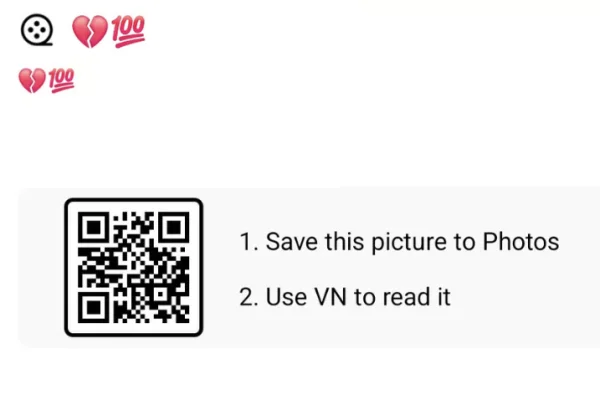
Mohabbat Me Pad Gaye Ho VN Template 2026
View Asset Aryan Kelvin Viral Editing Style — A Closer Look
View Asset