
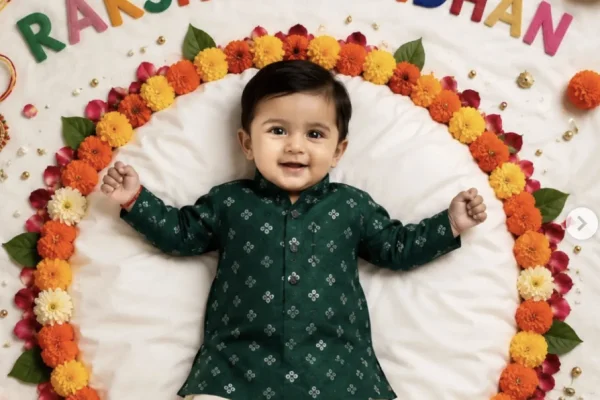
A baby's first Raksha Bandhan — or a toddler tying their first rakhi — holds a special kind of sweetness that adult sibling portraits don't quite capture. This guide covers a set of gentle, tasteful AI photo prompts built specifically for babies and young children, giving families a way to turn a simple photo into a keepsake-worthy festive portrait ahead of Raksha Bandhan on 28 August.
Why Baby-Specific Prompts Need Different Handling
Prompts built for adult siblings often describe detailed jewelry, makeup, or styling that simply doesn't translate well to a baby or toddler photo — and shouldn't. A good baby-focused prompt keeps things soft, simple, and age-appropriate: gentle outfits, natural expressions, and a focus on the sweetness of the moment rather than an overly styled, adult-style photoshoot look.
Keeping Results Natural and Tasteful
- Always include "tasteful and age-appropriate" explicitly in the prompt — this keeps the AI's styling choices gentle rather than overly adult-styled.
- Add "preserve exact facial features and skin tone" to keep the result looking like your actual child rather than a generic AI baby face.
- If a result feels too elaborate or busy, add "simple and understated" to tone the styling down.
- Use a clear, well-lit, front-facing reference photo for the most accurate and natural-looking likeness.
Common Mistakes to Avoid
- Using adult-style prompt language for a baby photo. Detailed makeup or heavy jewelry instructions don't translate well and can look odd on a child.
- Skipping the facial preservation instruction. Without it, results can drift noticeably from your actual child's likeness.
- Overcomplicating the scene. A simple, soft setting keeps the focus on the child rather than a cluttered background.
- Using a blurry or dark reference photo, which makes it harder for the AI to produce an accurate result.
How to Use These Prompts
Choose a clear, well-lit photo of the baby or children involved.
Open ChatGPT or Gemini and upload the photo(s).
Paste your chosen prompt, adjusting outfit color or small details if you'd like.
Generate the image, trying 2-3 times if the first result doesn't look quite right.
Compare versions and pick the one where the child's face looks most natural and accurate.
Frequently Asked Questions
Q1. Are these prompts free to use?
Yes, they work with the free tier of ChatGPT or Gemini.
Q2. Will the AI change my baby's face?
It shouldn't, as long as the prompt includes the facial preservation instruction and you use a clear reference photo.
Q3. Can I use these prompts for a toddler instead of a newborn?
Yes, just adjust the wording from "baby" to "toddler" and describe an age-appropriate outfit accordingly.
Q4. How many attempts does it usually take?
Most people get an accurate, natural-looking result within 2 to 4 generations.
Q5. Can I combine two of these prompts, like the sibling and family versions?
It's better to keep one clear concept per prompt — combining too many elements tends to produce a cluttered, less natural result.
Conclusion
A baby's first Raksha Bandhan deserves a gentle touch, not an overly styled adult photoshoot look. Keep the prompts simple and tasteful, lock in facial accuracy with a clear reference photo, and you'll have a soft, keepsake-worthy portrait ready well before 28 August.